

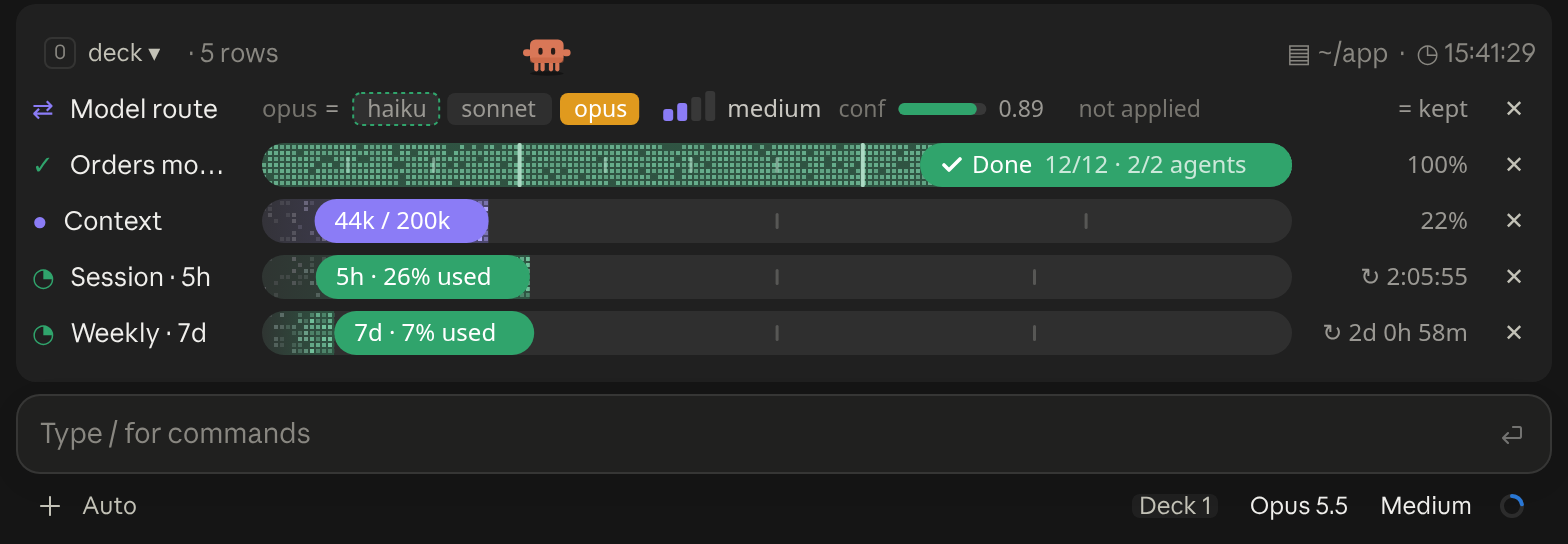
A cockpit for Claude Code: plan bars and subagent strips, context, usage limits with reset countdowns and burn rates, spend, the model route and a pet. Six bar styles, three collapsed looks. CLI and Desktop.
Know when another Claude Code session needs you
Terminal
✋  api · Add rate limiting to the API (VS Code) needs an approval                               [-]
Agent Standup · /agent-standup:open shows them all Hide
Claude Desktop

Shows a line above your prompt when another Claude Code session on this computer is waiting for your approval or an answer, so you can stay in the session you are in.
A cockpit for Claude Code: plan bars and subagent strips, context, usage limits with reset countdowns and burn rates, spend, the model route and a pet. Six bar styles, three collapsed looks. CLI and Desktop.

Your context window as a stacked bar above the prompt, a color per category, with token counts and the compaction point. /context-bar shows or hides it.
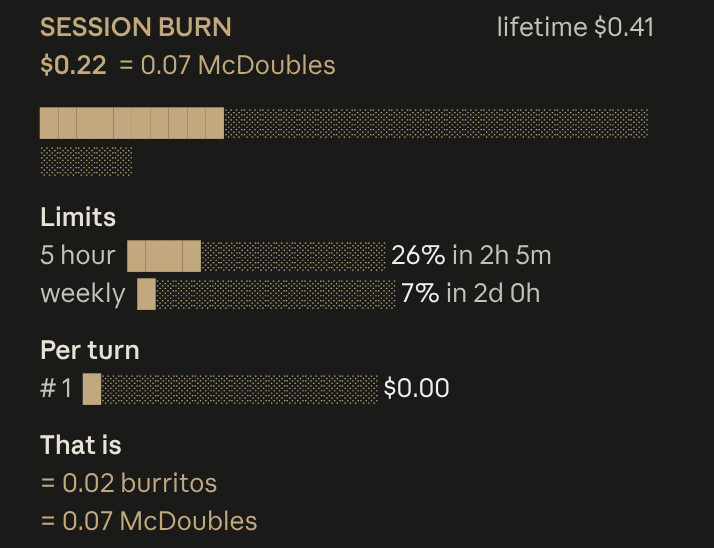
Live session cost odometer above the prompt: a burning fuse, real-world comparisons, threshold alerts
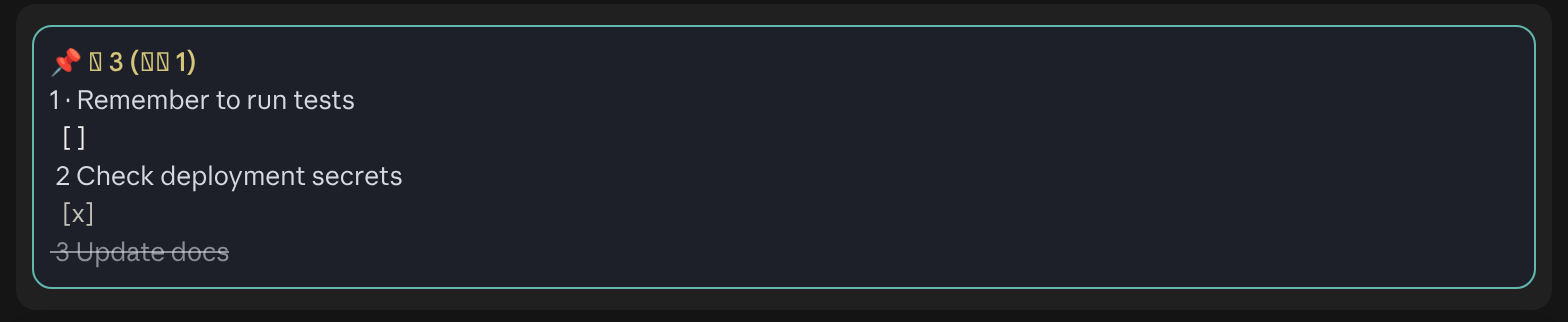
Persistent pinned memos and clickable todo checkboxes above the Claude Code prompt
╭─ CONTEXT ────────────────────────────────────────────╮
│ ████▊░░░░░░░░░░░░░░░░░  22% of 200K  ·  GOOD         │
├─ STATS ──────────────────────────────────────────────┤
│ ↓ 44.0K  ↑ 1.4K  │  $0.41  │  ⏱ 10m 12s  │  +128/-34 │
├─ REPO ───────────────────────────────────────────────┤
│ ◆ Opus 4.8  ·  main  ·  16:21                        │
╰──────────────────────────────────────────────────────╯
A boxed multi-line panel with auto-sizing borders: a context section with a gradient bar and status word, a stats section (tokens, cost, duration, lines changed), and a repo section (model, git branch with file counts, clock, vim mode), in a terracotta Claude-brand palette.
Opus 4.8 [high] ~/app main
16:20:55 | ⛁ ██░░░░░░░░ 22% | 5h ●◔○○○ 26% ↻2h7m | 7d ◔○○○○○○ 7% ↻2d1h │ $0.41 ⏱ 10m
Two-line status with a block context bar and quarter-step dot meters (◔◑◕●) for the 5-hour and weekly limits (fill shows usage, color shows whether you are ahead of or behind pace), plus model, effort, git and cost. Needs no jq.
  Opus 4.8 high ✦ │ ctx 22% │ app (main) │ PR #1287 ● │ $0.41 · 10m +128 -34
  Session ● ● ● ● ● ● ● ● ○ ○ ○  74% left  Resets in 2h 6m
  Weekly  ● ● ● ● ● ● ● ● ● ● ○  93% left  Resets in 2d 0h
  Fable   ● ● ● ● ● ● ● ● ● ○ ○  85% left  Resets in 2d 0h
  ◐ Read:index.ts  ✓ Read×1  ✓ Bash×1  ✓ Edit×1  ✓ Grep×1
  ◐ code-reviewer Review the change for regressions
A header with model, context and burn rate per hour, then live tool and agent activity parsed from the session transcript.
Model: Opus 4.8 | Thinking: high | Context: [▰▰▱▱▱▱▱▱▱▱] 45k/200k (22%) | cwd: ~/app | ⎇ main | (+0,-0)
Cost: $0.41 | Block: 2hr 6m | Weekly: 7.0% | Session: 10m | In: 916.7 t/s | Out: 29.2 t/s | Cached: 2k | Session: [▰▱▱▱▱] 26.0%
Mem: 0.8G/1.0G | (*゚∀゚*) | Session ID: b8e1c0d2-4a6f-4e2a-9c1b-3f5d7a9e2c10
Three lines in One Dark: model, thinking effort and a context bar up top; cost, quota, session clock and token throughput in the middle; weather, free memory and a rotating kaomoji below.


