

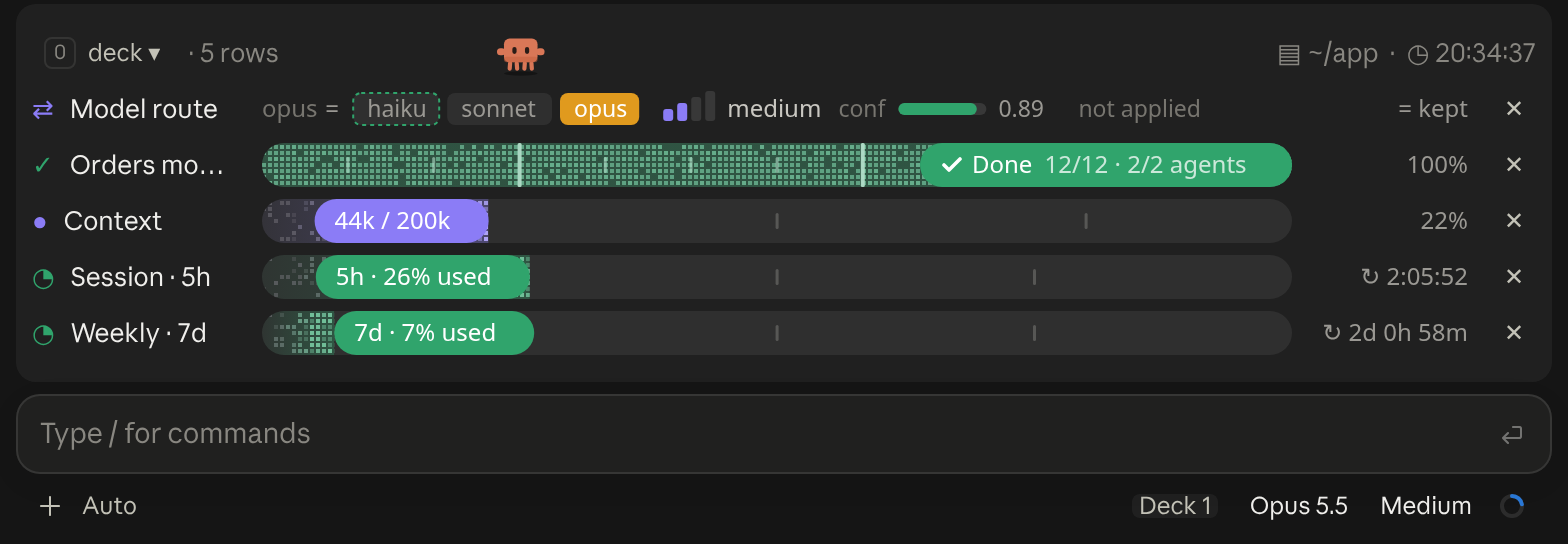
A cockpit for Claude Code: plan bars and subagent strips, context, usage limits with reset countdowns and burn rates, spend, the model route and a pet. Six bar styles, three collapsed looks. CLI and Desktop.
Terminal
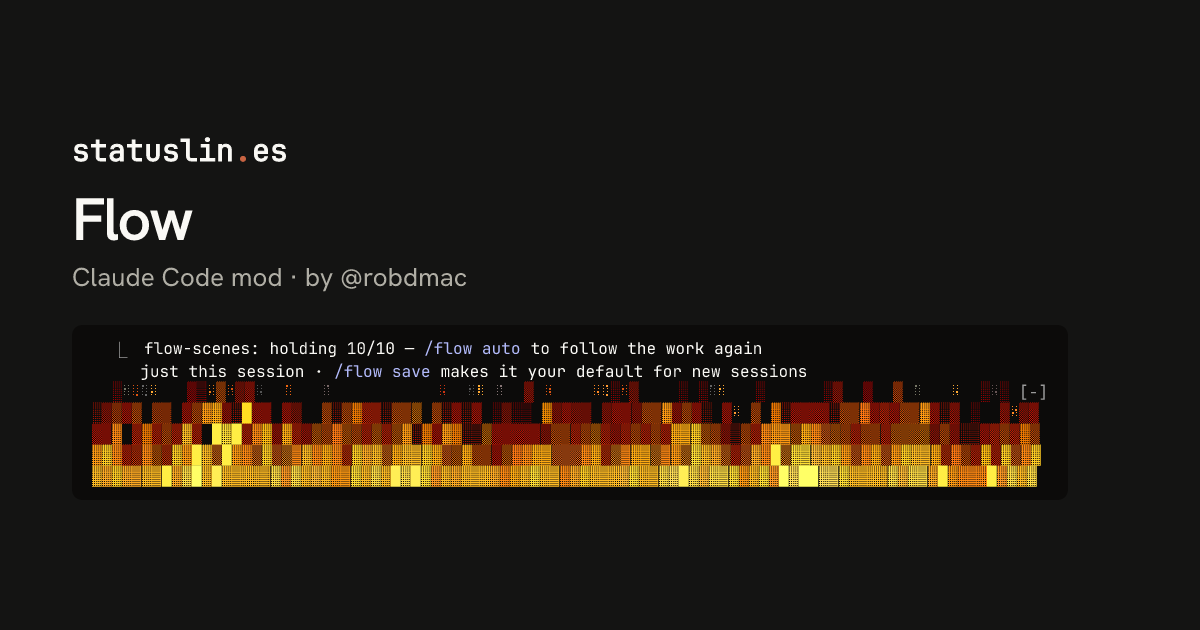
  ⎿  flow-scenes: holding 10/10 — /flow auto to follow the work again
     just this session · /flow save makes it your default for new sessions
  ░⠂⢀⢁⠄   ▒░⠄▒⠐▒▒⠠  ⠁   ⠈           ⠠  ⠂⠇ ⠈  ▒ ⠰    ⠠⢈░⠂▒    ░ ░⠁⠂   ░      ░▒  ▒  ▒ ⠁   ⠠  ░⠠░ [-]
░▒▒▒▒ ▒▒ ▒▒▓▓▒░█▒▒ ▒▒  ▒░▒▓▒▒░▒▒▒ ▒░▒░▒ ░▒░░ ▓▒▒▒▒ ▒▒▒▒▒▒▓▒▒▒░ ▒⠄ ▒ ▓░▒▒▒▒░▒▒▓▒▒▒▒▒▓▒░▒ ░  ▒⠔▒▒
▒▒▓ ▒▓▒▒▒▓▒ █▓█▒▓▓▒▓▒▒▒▒▓▒▒▒▒▒▒▓░▓▒▓▓░░▒▒▒▒▒▒▒▒▒▒▒▒▒▒▒▒▒▒▒▓▓▓▒▒▒░▒▒▓▓▓▒▓▓▒▒▒▒▒▒▒▒▒▒▒▒▒▒░░▒▒▒▒▓▒
▓▓▓▒▒▓▒▒▓▓█▓▒█▓▓▒▓▒▒▓▓▓▓▓▒▓▓▓▒▓▓▓▓▓▒▒▓▒▒▒▒▓▓▓▓▒▒▒▓▓▒▒▓▓▓▒▓▓▒▓▓▓▒▒▒▓▓█▒▓▓▓▓▓▓▒▓▓▒▓▓▓▓▓▒▓▒▒▓▒▓▒▓▓
▓▓▓▓▓▓▓█▓▓█▓█▓▓▓▓▓▓▓▓▓▓▓▓▓▓▓▓▓█▓█▓▓▓▓▓▓▓▓▓▓▓▓▓▓▓▓▓▓▓▓▓▓▓▓▓▓█▓▓▓▓▓▓▓▓▓█▓██▓▓▓▓▓▓▓▓▓▓▓▓█▓▓▓▓█▓▓▓▓
Claude Desktop
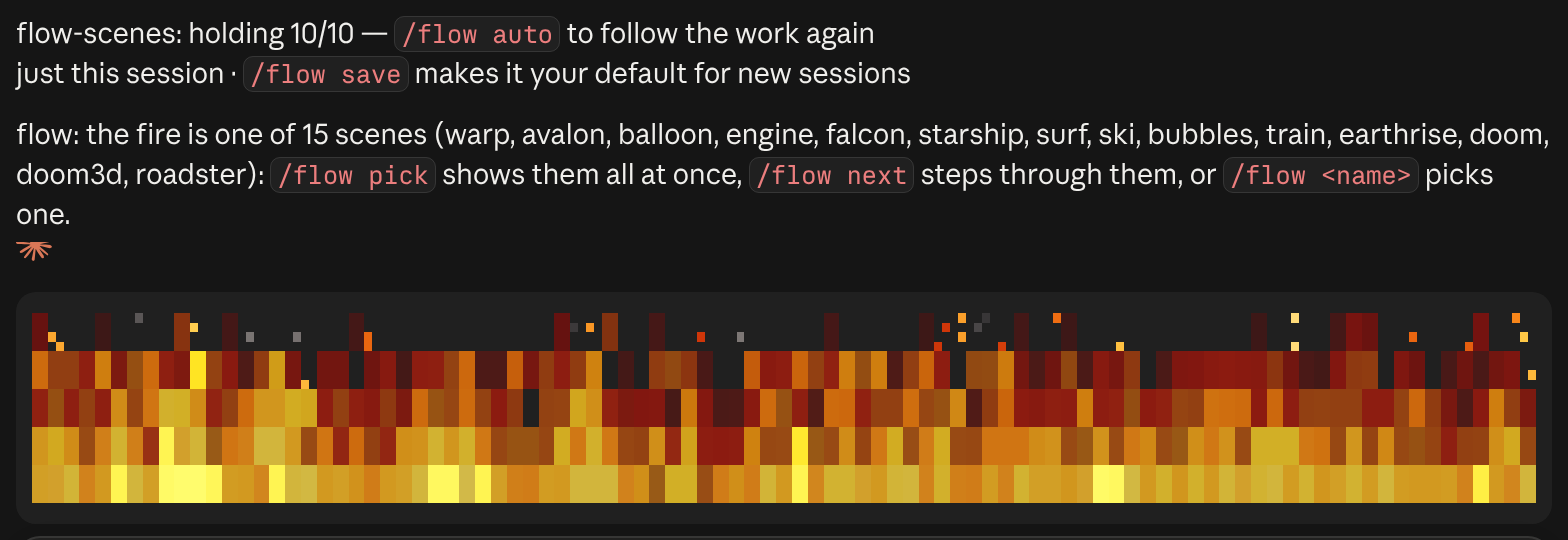
Ambient scenes above the prompt that move with your agent's work: a fire, bubbles, surf, ski, rockets, a hot-air balloon and more, by day or night. /flow to control it.
Flow's scene rises with the work. A plain answer sits around level 5, edit-and-test loops reach about 8, and 10 takes several subagents editing in parallel or a long turn. In many scenes each running subagent also gets a companion of its own, such as a small fire or a second surfer.
fire, warp, avalon, balloon, engine, falcon, starship, surf, ski, bubbles, train, earthrise, doom, doom3d and roadster. /flow pick shows them all live so you can choose, and several have a night version that follows your local clock.
Run claude --debug and look for the line about hooks modules. It may say mods aren't turned on for your account yet, that an earlier session saved them off, that you're on Bedrock, Vertex or a custom ANTHROPIC_BASE_URL, or that the folder's trust prompt hasn't been accepted.
Yes. /flow 1 to /flow 10 holds a fixed level, /flow off switches it off, and /flow auto goes back to following the work.
Own this listing? Add it to your README. The badge shows the install count as it grows.

[](https://statuslin.es/mods/flow-scenes?utm_source=readme-badge)
Or show the preview card:
[](https://statuslin.es/mods/flow-scenes?utm_source=readme-badge)
A cockpit for Claude Code: plan bars and subagent strips, context, usage limits with reset countdowns and burn rates, spend, the model route and a pet. Six bar styles, three collapsed looks. CLI and Desktop.

Your context window as a stacked bar above the prompt, a color per category, with token counts and the compaction point. /context-bar shows or hides it.
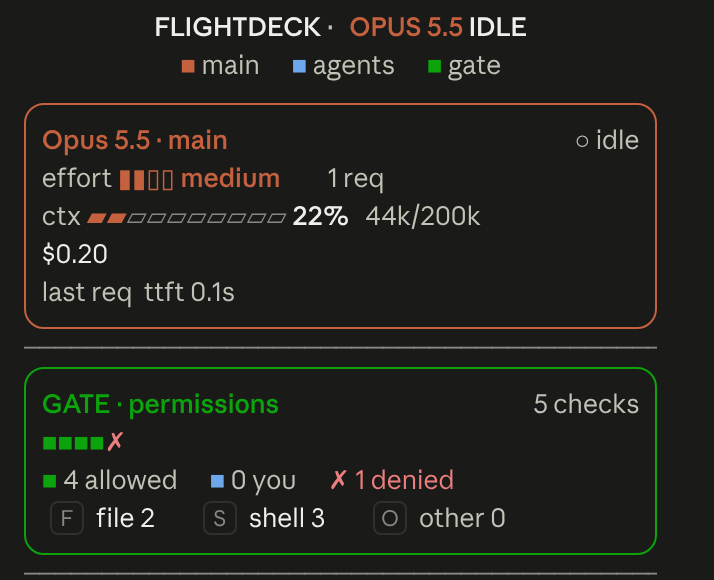
Flightdeck: a live agent dashboard for Claude Code. Main model vitals, an on-call architect, every permission check, subagent cards and swimlanes, a turn receipt and a session log, all from real session events
[✓] Tables, diagrams and charts drawn in the terminal
[✓] Copy tables as Markdown, art or HTML (macOS/Linux), and tables, diagrams and charts as a PNG
    image (macOS/Windows)
[ ] Pick a taskStyle in /config: checks, ticks, box or progress
[ ] Set listMarker to dash so a list you select with the mouse pastes as markdown
                         [ ⧉ source ] [ ⧉ art ]                 [ ⧉ source ] [ ⧉ art ]
  ┌───────┐   ┌───────┐   ┌──────┐   ┌────────┐            Color options per group
  │ Reply ├──►│ Parse ├──►│ Draw ├──►│ Screen │
  └───────┘   └───────┘   └──────┘   └────────┘       8┤···7··························
                                                      7┤·▄▄▄▄················6········
                                                      6┤·████··············▄▄▄▄·······
                                                      5┤·████··············████·······
                                                      4┤·████····3·········████·······
                                                      3┤·████··▄▄▄▄····2···████····2··
                                                      2┤·████··████··▄▄▄▄··████··▄▄▄▄·
                                                      1┤·████··████··████··████··████·
                                                      0┼─▀▀▀▀──▀▀▀▀──▀▀▀▀──▀▀▀▀──▀▀▀▀─
                                                         text  head   num  code  diag
╭──────────────────────────────────────────────────────────────────────────────────────╮  [ ⧉ copy ]
│ Caution                                                                              │
│ Claude Code refuses trees over 20000 nodes. A code block past about 500 highlighted  │
│ lines falls back to plain text.                                                      │
╰──────────────────────────────────────────────────────────────────────────────────────╯
Colorful, themeable rendering for Claude Code replies: tables, headings, code, numbers, paths and links.
╭─ CONTEXT ────────────────────────────────────────────╮
│ ████▊░░░░░░░░░░░░░░░░░  22% of 200K  ·  GOOD         │
├─ STATS ──────────────────────────────────────────────┤
│ ↓ 44.0K  ↑ 1.4K  │  $0.41  │  ⏱ 10m 12s  │  +128/-34 │
├─ REPO ───────────────────────────────────────────────┤
│ ◆ Opus 4.8  ·  main  ·  16:21                        │
╰──────────────────────────────────────────────────────╯
A boxed multi-line panel with auto-sizing borders: a context section with a gradient bar and status word, a stats section (tokens, cost, duration, lines changed), and a repo section (model, git branch with file counts, clock, vim mode), in a terracotta Claude-brand palette.
Opus 4.8 [high] ~/app main
16:20:55 | ⛁ ██░░░░░░░░ 22% | 5h ●◔○○○ 26% ↻2h7m | 7d ◔○○○○○○ 7% ↻2d1h │ $0.41 ⏱ 10m
Two-line status with a block context bar and quarter-step dot meters (◔◑◕●) for the 5-hour and weekly limits (fill shows usage, color shows whether you are ahead of or behind pace), plus model, effort, git and cost. Needs no jq.
  Opus 4.8 high ✦ │ ctx 22% │ app (main) │ PR #1287 ● │ $0.41 · 10m +128 -34
  Session ● ● ● ● ● ● ● ● ○ ○ ○  74% left  Resets in 2h 6m
  Weekly  ● ● ● ● ● ● ● ● ● ● ○  93% left  Resets in 2d 0h
  Fable   ● ● ● ● ● ● ● ● ● ○ ○  85% left  Resets in 2d 0h
  ◐ Read:index.ts  ✓ Read×1  ✓ Bash×1  ✓ Edit×1  ✓ Grep×1
  ◐ code-reviewer Review the change for regressions
A header with model, context and burn rate per hour, then live tool and agent activity parsed from the session transcript.
Model: Opus 4.8 | Thinking: high | Context: [▰▰▱▱▱▱▱▱▱▱] 45k/200k (22%) | cwd: ~/app | ⎇ main | (+0,-0)
Cost: $0.41 | Block: 2hr 6m | Weekly: 7.0% | Session: 10m | In: 916.7 t/s | Out: 29.2 t/s | Cached: 2k | Session: [▰▱▱▱▱] 26.0%
Mem: 0.8G/1.0G | (*゚∀゚*) | Session ID: b8e1c0d2-4a6f-4e2a-9c1b-3f5d7a9e2c10
Three lines in One Dark: model, thinking effort and a context bar up top; cost, quota, session clock and token throughput in the middle; weather, free memory and a rotating kaomoji below.


