
· ↑ 37.0k ↓ 1.4k cache 7.0k · session ↑ 111.0k ↓ 4.2kEach turn's tokens and the session's running total, in color at the end of the hint line under the prompt.
Terminal
context 22% [-]Claude Desktop

A small context 58% readout at the right end above the prompt, gray, yellow or red, so you know when to /compact without typing /context.
The /context command counts it on demand. This mod keeps the figure on screen instead: context N% sits at the right end of the band above the prompt and updates after each response that changes it.
This mod turns yellow from 50% full, which its README calls a good moment for /compact, and red from 75%, when it suggests compacting now or starting a new session. Both thresholds are the warnAt and dangerAt settings in /config.
Before the first response of a fresh or resumed session, and right after a compaction or a rewind, Claude Code has no reading yet. The meter counts the window once, as /context does, and marks that estimate with ~ until the next response brings the real figure.
· ↑ 37.0k ↓ 1.4k cache 7.0k · session ↑ 111.0k ↓ 4.2kEach turn's tokens and the session's running total, in color at the end of the hint line under the prompt.

One line above the prompt: context tokens with their weather, a bar per recent prompt, your 5-hour and 7-day limits against the time elapsed, the prompt cache with its time left, the session cost with the last prompt's share in dollars and in points of the 5-hour limit, and the subagents running. Labels in English, French or Russian. After Token Weather (Anthropic, Apache-2.0) and the ideas of usage-meter (HolyGrail) and prompt-cache-control (Daniel San).
⏵⏵ auto mode on · ← for agents 5h ━━━─────── 26% ↻ 2h 7mYour subscription usage at the bottom right of Claude Code: the 5-hour and weekly windows, taking turns, side by side or fixed on one of them.
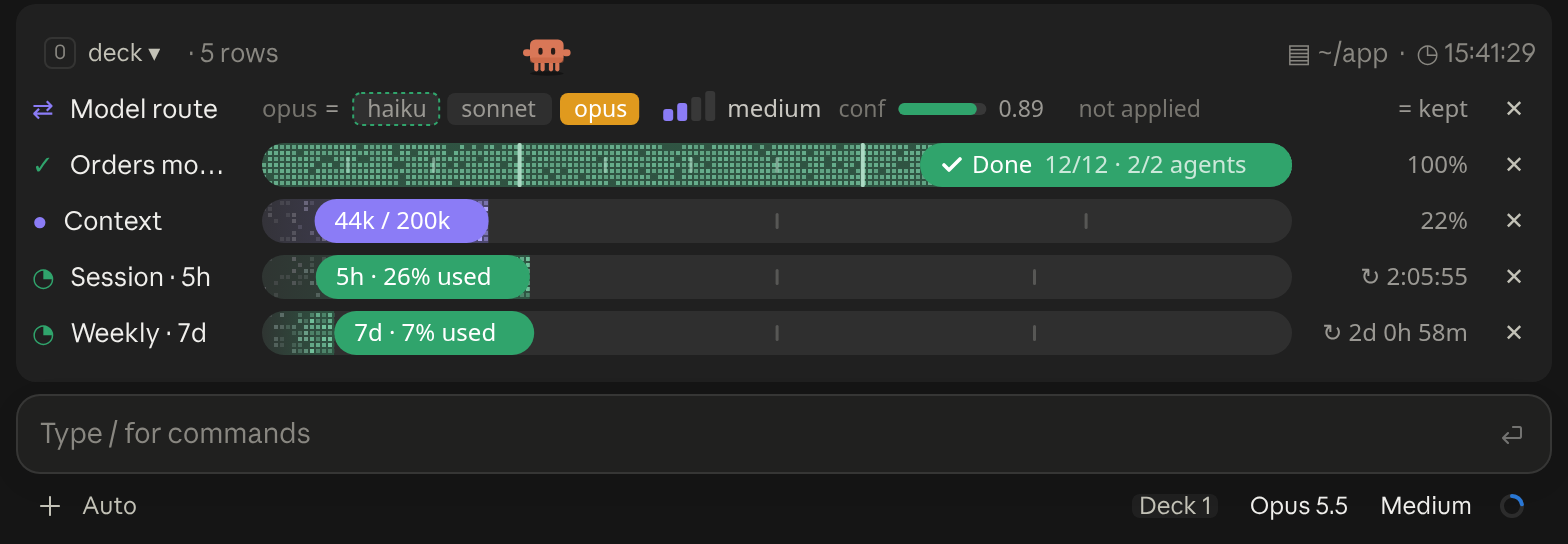
A cockpit for Claude Code: plan bars and subagent strips, context, usage limits with reset countdowns and burn rates, spend, the model route and a pet. Six bar styles, three collapsed looks. CLI and Desktop.
Opus 4.8 · ctx ● 22% · 5h ● 26% · 7d ● 7%One short Python line: the model, then context, five-hour and seven-day usage, each as a percentage with a dot that shifts from green to red as it fills. No dependencies, no network calls.
5h ▓░░░░ 🟢
A minimal 5-slot block bar showing context-window usage with a green/yellow/red status dot.
╭─ CONTEXT ────────────────────────────────────────────╮
│ ████▊░░░░░░░░░░░░░░░░░  22% of 200K  ·  GOOD         │
├─ STATS ──────────────────────────────────────────────┤
│ ↓ 44.0K  ↑ 1.4K  │  $0.41  │  ⏱ 10m 12s  │  +128/-34 │
├─ REPO ───────────────────────────────────────────────┤
│ ◆ Opus 4.8  ·  main  ·  16:21                        │
╰──────────────────────────────────────────────────────╯
A boxed multi-line panel with auto-sizing borders: a context section with a gradient bar and status word, a stats section (tokens, cost, duration, lines changed), and a repo section (model, git branch with file counts, clock, vim mode), in a terracotta Claude-brand palette.
app · main · Opus-4.8 · effort high · ctx 22% · 5h 26% ↻2h6m · 7d 7% ↻2d0hOne-line status bar showing your directory, git branch (with a * when dirty), model, live effort level, context-window usage, and 5-hour/7-day rate-limit usage.


