

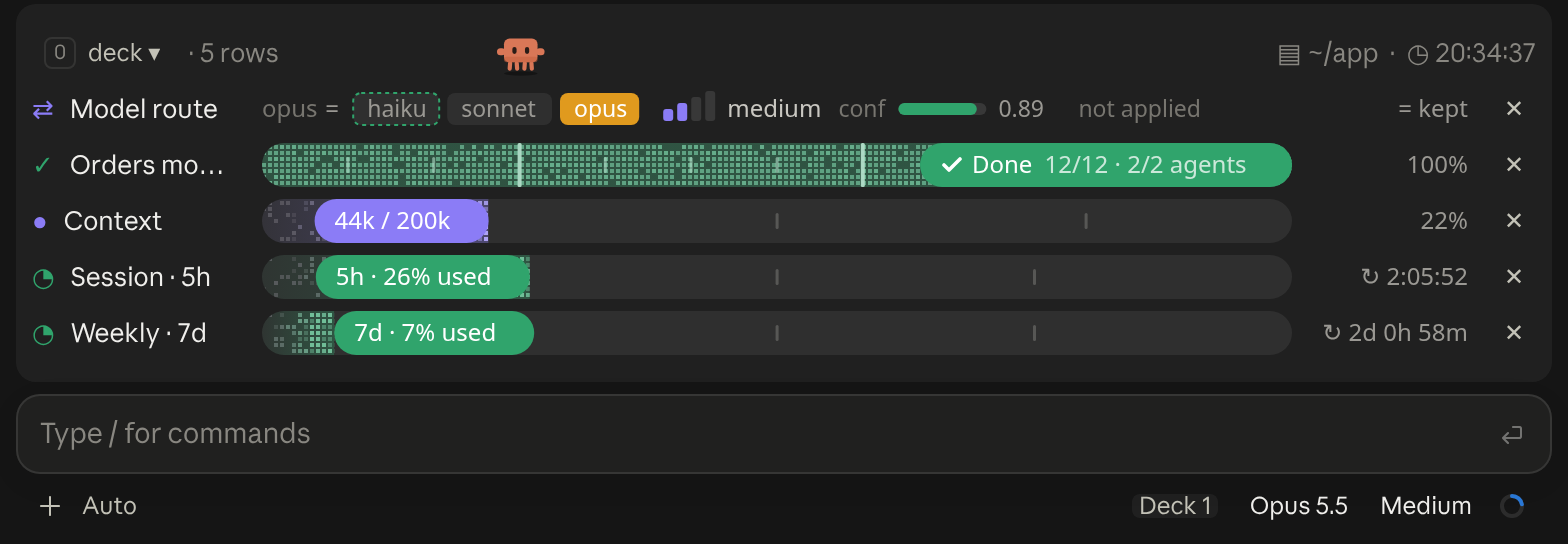
A cockpit for Claude Code: plan bars and subagent strips, context, usage limits with reset countdowns and burn rates, spend, the model route and a pet. Six bar styles, three collapsed looks. CLI and Desktop.
Pass the time when a Claude request fails
A small ASCII runner game in a pane, where you jump over BUG, 429 and TIMEOUT obstacles. It offers itself when a turn fails, or you start it with /token-run.
Terminal
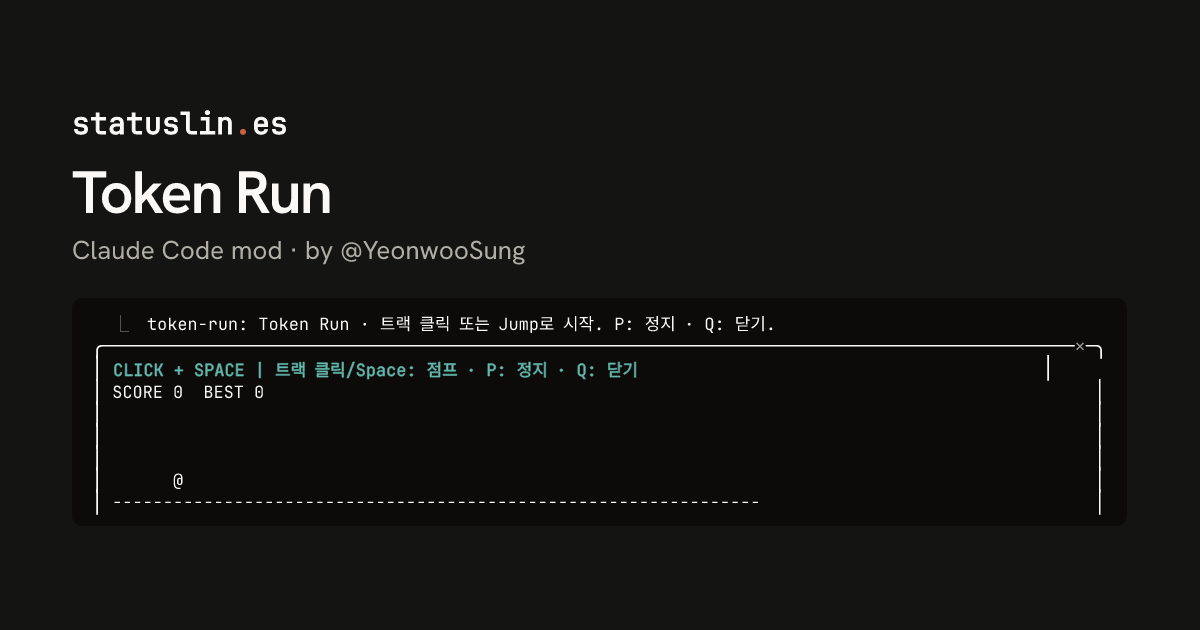
  ⎿  token-run: Token Run · 트랙 클릭 또는 Jump로 시작. P: 정지 · Q: 닫기.
╭────────────────────────────────────────────────────────────────────────────────────────────────✕─╮
│ CLICK + SPACE | 트랙 클릭/Space: 점프 · P: 정지 · Q: 닫기                                        │
│ SCORE 0  BEST 0                                                                                  │
│                                                                                                  │
│                                                                                                  │
│                                                                                                  │
│       @                                                                                          │
│ ----------------------------------------------------------------                                 │
│ Jump R P Q                                                                                       │
╰──────────────────────────────────────────────────────────────────────────────────────────────────╯
Claude Desktop
Draws nothing in Claude Desktop.
A fully local ASCII runner game for Claude Code request failures and short breaks
Token Run is a small ASCII runner you play in a pane inside Claude Code. Run /token-run to start it, or click the invitation that shows when a turn fails. The README says it makes no network or model calls once loaded.
No. The README says it shows after a main turn ends in an error, which can also be a server, authentication or context error. The mod adds no health checks or retries, and a later response shows a return-to-work notice without stopping the game.
Press P to pause or resume and Q to close, or run /token-run close. Esc returns focus to the prompt, and a second Esc at an empty idle prompt closes the pane. Moving focus away does not pause the game on its own.
Yes. It keeps your best score in the mod's own local store, shared across its sessions. If a save fails it shows a warning and keeps the best score in memory, so the game stays playable.
Own this listing? Add it to your README. The badge shows the install count as it grows.

[](https://statuslin.es/mods/token-run?utm_source=readme-badge)
Or show the preview card:
[](https://statuslin.es/mods/token-run?utm_source=readme-badge)
A cockpit for Claude Code: plan bars and subagent strips, context, usage limits with reset countdowns and burn rates, spend, the model route and a pet. Six bar styles, three collapsed looks. CLI and Desktop.

Your context window as a stacked bar above the prompt, a color per category, with token counts and the compaction point. /context-bar shows or hides it.
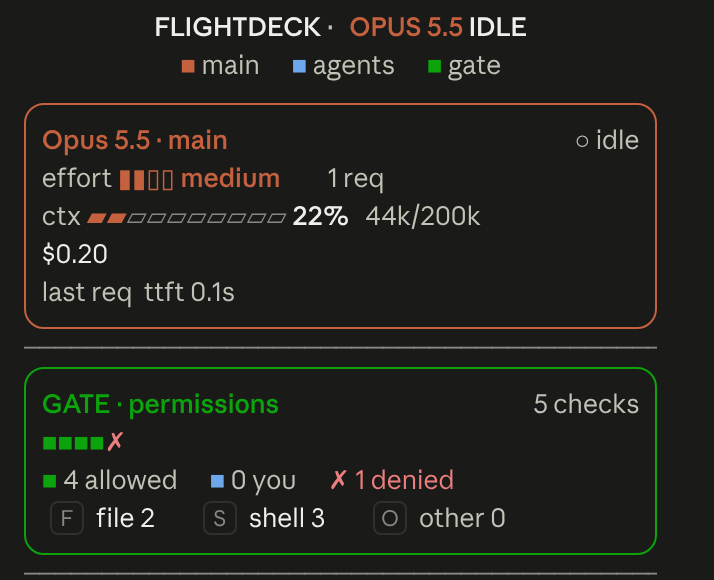
Flightdeck: a live agent dashboard for Claude Code. Main model vitals, an on-call architect, every permission check, subagent cards and swimlanes, a turn receipt and a session log, all from real session events
[✓] Tables, diagrams and charts drawn in the terminal
[✓] Copy tables as Markdown, art or HTML (macOS/Linux), and tables, diagrams and charts as a PNG
    image (macOS/Windows)
[ ] Pick a taskStyle in /config: checks, ticks, box or progress
[ ] Set listMarker to dash so a list you select with the mouse pastes as markdown
                         [ ⧉ source ] [ ⧉ art ]                 [ ⧉ source ] [ ⧉ art ]
  ┌───────┐   ┌───────┐   ┌──────┐   ┌────────┐            Color options per group
  │ Reply ├──►│ Parse ├──►│ Draw ├──►│ Screen │
  └───────┘   └───────┘   └──────┘   └────────┘       8┤···7··························
                                                      7┤·▄▄▄▄················6········
                                                      6┤·████··············▄▄▄▄·······
                                                      5┤·████··············████·······
                                                      4┤·████····3·········████·······
                                                      3┤·████··▄▄▄▄····2···████····2··
                                                      2┤·████··████··▄▄▄▄··████··▄▄▄▄·
                                                      1┤·████··████··████··████··████·
                                                      0┼─▀▀▀▀──▀▀▀▀──▀▀▀▀──▀▀▀▀──▀▀▀▀─
                                                         text  head   num  code  diag
╭──────────────────────────────────────────────────────────────────────────────────────╮  [ ⧉ copy ]
│ Caution                                                                              │
│ Claude Code refuses trees over 20000 nodes. A code block past about 500 highlighted  │
│ lines falls back to plain text.                                                      │
╰──────────────────────────────────────────────────────────────────────────────────────╯
Colorful, themeable rendering for Claude Code replies: tables, headings, code, numbers, paths and links.
╭─ CONTEXT ────────────────────────────────────────────╮
│ ████▊░░░░░░░░░░░░░░░░░  22% of 200K  ·  GOOD         │
├─ STATS ──────────────────────────────────────────────┤
│ ↓ 44.0K  ↑ 1.4K  │  $0.41  │  ⏱ 10m 12s  │  +128/-34 │
├─ REPO ───────────────────────────────────────────────┤
│ ◆ Opus 4.8  ·  main  ·  16:21                        │
╰──────────────────────────────────────────────────────╯
A boxed multi-line panel with auto-sizing borders: a context section with a gradient bar and status word, a stats section (tokens, cost, duration, lines changed), and a repo section (model, git branch with file counts, clock, vim mode), in a terracotta Claude-brand palette.
Opus 4.8 [high] ~/app main
16:20:55 | ⛁ ██░░░░░░░░ 22% | 5h ●◔○○○ 26% ↻2h7m | 7d ◔○○○○○○ 7% ↻2d1h │ $0.41 ⏱ 10m
Two-line status with a block context bar and quarter-step dot meters (◔◑◕●) for the 5-hour and weekly limits (fill shows usage, color shows whether you are ahead of or behind pace), plus model, effort, git and cost. Needs no jq.
  Opus 4.8 high ✦ │ ctx 22% │ app (main) │ PR #1287 ● │ $0.41 · 10m +128 -34
  Session ● ● ● ● ● ● ● ● ○ ○ ○  74% left  Resets in 2h 6m
  Weekly  ● ● ● ● ● ● ● ● ● ● ○  93% left  Resets in 2d 0h
  Fable   ● ● ● ● ● ● ● ● ● ○ ○  85% left  Resets in 2d 0h
  ◐ Read:index.ts  ✓ Read×1  ✓ Bash×1  ✓ Edit×1  ✓ Grep×1
  ◐ code-reviewer Review the change for regressions
A header with model, context and burn rate per hour, then live tool and agent activity parsed from the session transcript.
Model: Opus 4.8 | Thinking: high | Context: [▰▰▱▱▱▱▱▱▱▱] 45k/200k (22%) | cwd: ~/app | ⎇ main | (+0,-0)
Cost: $0.41 | Block: 2hr 6m | Weekly: 7.0% | Session: 10m | In: 916.7 t/s | Out: 29.2 t/s | Cached: 2k | Session: [▰▱▱▱▱] 26.0%
Mem: 0.8G/1.0G | (*゚∀゚*) | Session ID: b8e1c0d2-4a6f-4e2a-9c1b-3f5d7a9e2c10
Three lines in One Dark: model, thinking effort and a context bar up top; cost, quota, session clock and token throughput in the middle; weather, free memory and a rotating kaomoji below.


