

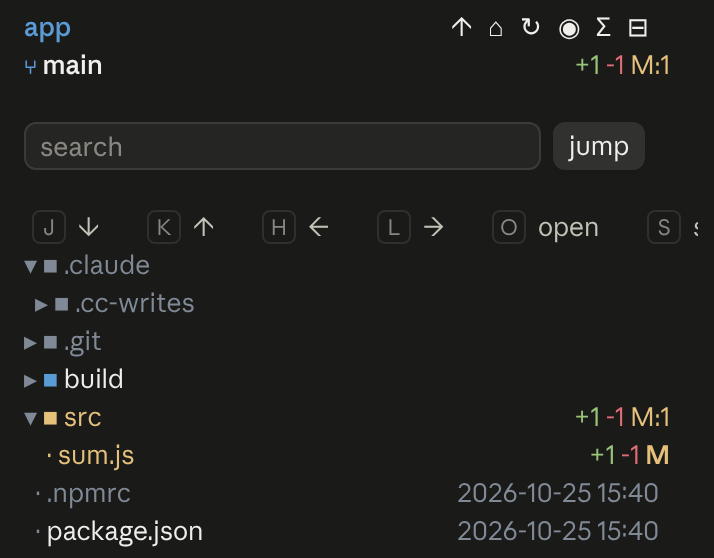
An IDE-style file tree for Claude Code that shows what Claude is doing and where in files
A Claude Code mod that shows git state
Agent Time Machine: a branching timeline of tool calls with shadow-git snapshots — inspect, diff, explain test failures, restore, branch, compare, re-run
0 installs
Terminal
  ⎿  time-machine: Time Machine pane opened (shown in the terminal and the desktop app).
╭────────────────────────────────────────────────────────────────────────────────────────────────✕─╮
│ Session b8e1c0d2 · branch main · 5 step(s) · 1 snapshot(s), avg 40ms                             │
│ storage: recording                                                                               │
│ │                                                                                                │
│ ├── ⓪ baseline                                                                                   │
│ │       └── snapshot 259be7b · 6 file(s)                                                         │
│ ├── ① Bash npm test                                                                              │
│ │       └── ✗ 1 failed, 2 passed                                                                 │
│ ├── ② Read src/sum.js                                                                            │
╰──────────────────────────────────────────────────────────────────────────────────────────────────╯
  ⚠ time-machine: tm ⑤ · 1 snaps · 40ms · recording
Claude Desktop
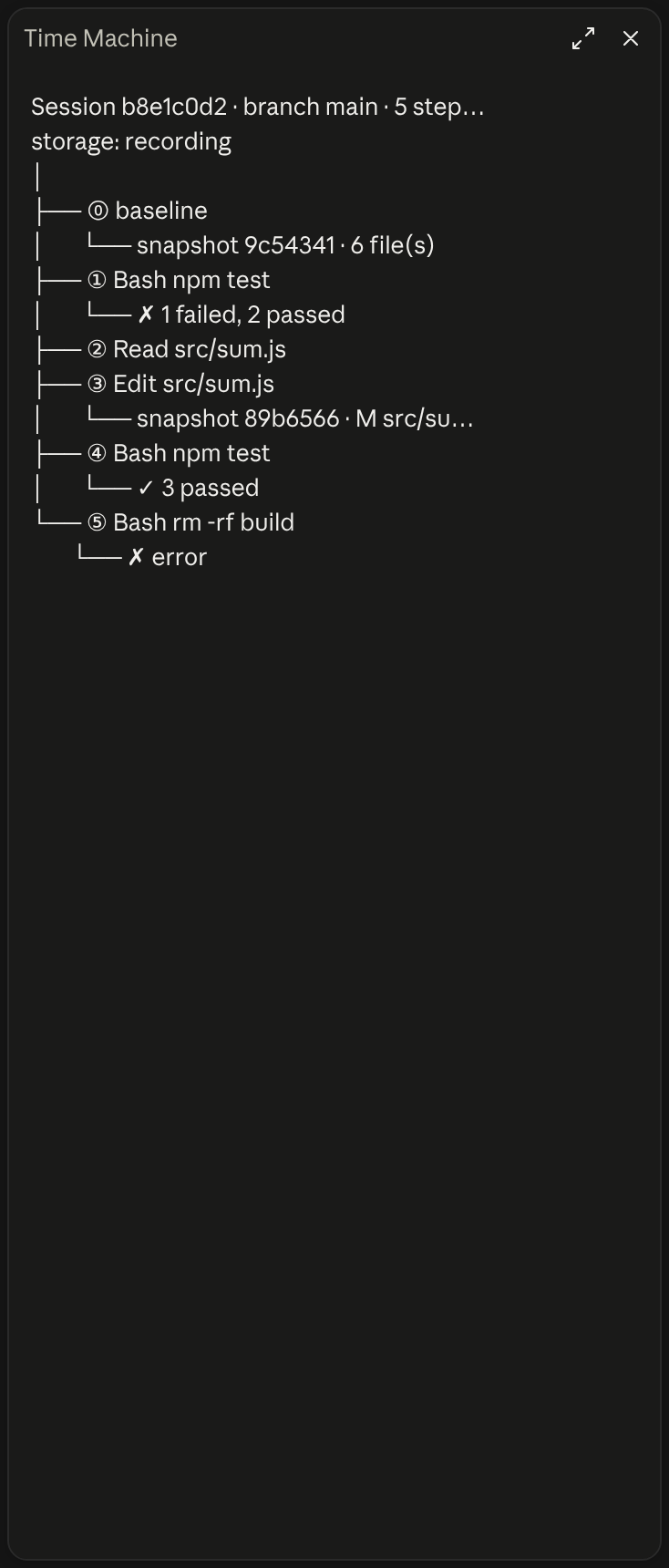
Records every tool call on a branching timeline with snapshots of your files, so you can see any step, diff two steps, find what broke a test and restore.
An IDE-style file tree for Claude Code that shows what Claude is doing and where in files

Shows branch safety, context headroom, and account usage in a compact session telemetry strip
╭─ CONTEXT ────────────────────────────────────────────╮
│ ████▊░░░░░░░░░░░░░░░░░  22% of 200K  ·  GOOD         │
├─ STATS ──────────────────────────────────────────────┤
│ ↓ 44.0K  ↑ 1.4K  │  $0.41  │  ⏱ 10m 12s  │  +128/-34 │
├─ REPO ───────────────────────────────────────────────┤
│ ◆ Opus 4.8  ·  main  ·  16:21                        │
╰──────────────────────────────────────────────────────╯
A boxed multi-line panel with auto-sizing borders: a context section with a gradient bar and status word, a stats section (tokens, cost, duration, lines changed), and a repo section (model, git branch with file counts, clock, vim mode), in a terracotta Claude-brand palette.
app · main · Opus-4.8 · effort high · ctx 22% · 5h 26% ↻2h6m · 7d 7% ↻2d0hOne-line status bar showing your directory, git branch (with a * when dirty), model, live effort level, context-window usage, and 5-hour/7-day rate-limit usage.
Opus 4.8 [high] ~/app main
16:20:55 | ⛁ ██░░░░░░░░ 22% | 5h ●◔○○○ 26% ↻2h7m | 7d ◔○○○○○○ 7% ↻2d1h │ $0.41 ⏱ 10m
Two-line status with a block context bar and quarter-step dot meters (◔◑◕●) for the 5-hour and weekly limits (fill shows usage, color shows whether you are ahead of or behind pace), plus model, effort, git and cost. Needs no jq.
████▊░░░░░░░░░░░░░░░░░ 22% of 200K · GOOD │ ↓ 44.0K ↑ 1.4K │ $0.41 │ ⏱ 10m 12s │ +128/-34 │ ◆ Opus 4.8 · main · 16:22
One-line adaptation of @kyleledbetter's Dreambase Panel: a context bar with status word, token/cost/duration/lines-changed stats, and model + git branch + clock, all on a single line in a terracotta Claude-brand palette.


