Mission Control

0 installs
What this mod can do
- Reviewed at commit fd249d5
- Runs programs
- Writes files
- Sends its own requests to Claude, which uses your tokens
- Reads environment variables
- Sees each tool call before it runs and can block or change it
- Sees each subagent before it starts and can stop it or pick its model
3 more things it can do
- Reads files
- Adds the /mission command
- Runs on a timer
Preview
Terminal
  ⎿  mission-control: Mission Control: 0 agents · 5 tool calls · 1 files. w: who · c: code · q:
     close
╭────────────────────────────────────────────────────────────────────────────────────────────────✕─╮
│ [ Who ] [ Code ] [ Close ]                                                                       │
│ 0 agents (0 running) · 5 tool calls · 2 failed                                                   │
│ ◆ main · hello  0.1s                                                                             │
│ ├─ $ bash: Run the tests  0.7s                                                                   │
│ ├─ ◉ read: src/sum.js                                                                            │
│ ├─ ✎ edit: src/sum.js                                                                            │
│ └─ $ bash: Run the tests → Remove the build output  ×2  0.3s                                     │
╰──────────────────────────────────────────────────────────────────────────────────────────────────╯
 ◈ mission: 5 tools · 2 failed · 1 files changed  ·  /mission                                   [-]
Claude Desktop
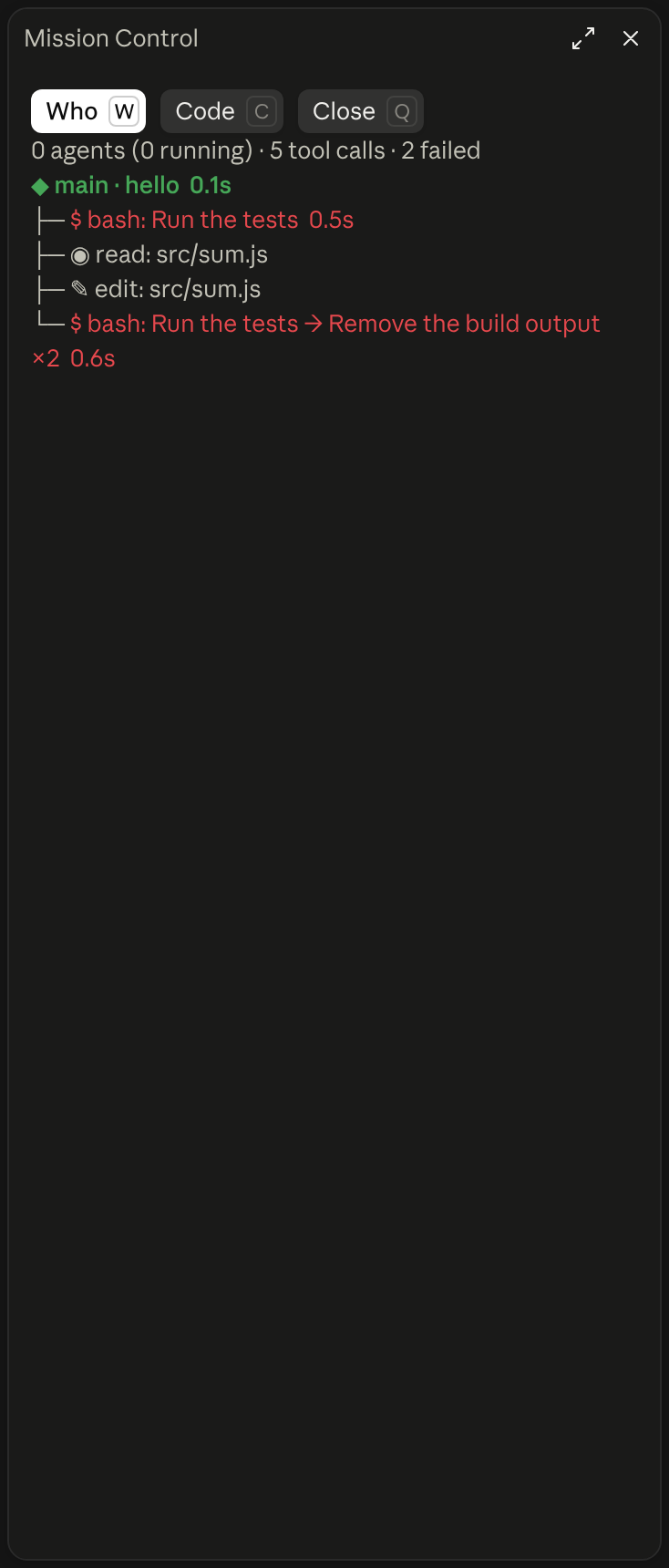
What it does
/mission opens a pane listing the main agent, its subagents and each tool call with its time and result, plus a Code view of the files they touch.
- What you see
- A pane, and a summary line above the prompt
- Works in
- Terminal and Claude Desktop
- Slash commands
- /mission
- Uses your tokens
- Yes
- Changes files
- Yes
- Network access
- Only through programs it runs
- Reviewed commit
- fd249d5
- Preview recorded with
- Claude Code 2.1.296
How it works
- /mission opens the pane; w shows Who, c shows Code and q closes it
- Who lists each tool call under its agent, with how long it took and what failed
- A line above the prompt counts tool calls, failures and files changed