After

·

source at c2ee6a4

·

MIT licence

A real prompt queue for Claude Code: /after <task> runs it after the current task, without steering. See, reorder and remove queued tasks from a band and a live pane, in plain language.

0 copies

Preview

Terminal

❯ /after ╭─ After ──────────────────────────────────────────╮ │ ⏸ Paused · queued tasks wait until /after resume │ ╰──────────────────────────────────────────────────╯ ❯ /after ╭─ After ──────────────────────────────────╮ │ ✓ Queued #1 │ │ │ │ + 1 run the tests ← new │ ╰──────────────────────────────────────────╯ after paused 1 run the tests ✎ edit [-] ❯ 

Claude Desktop
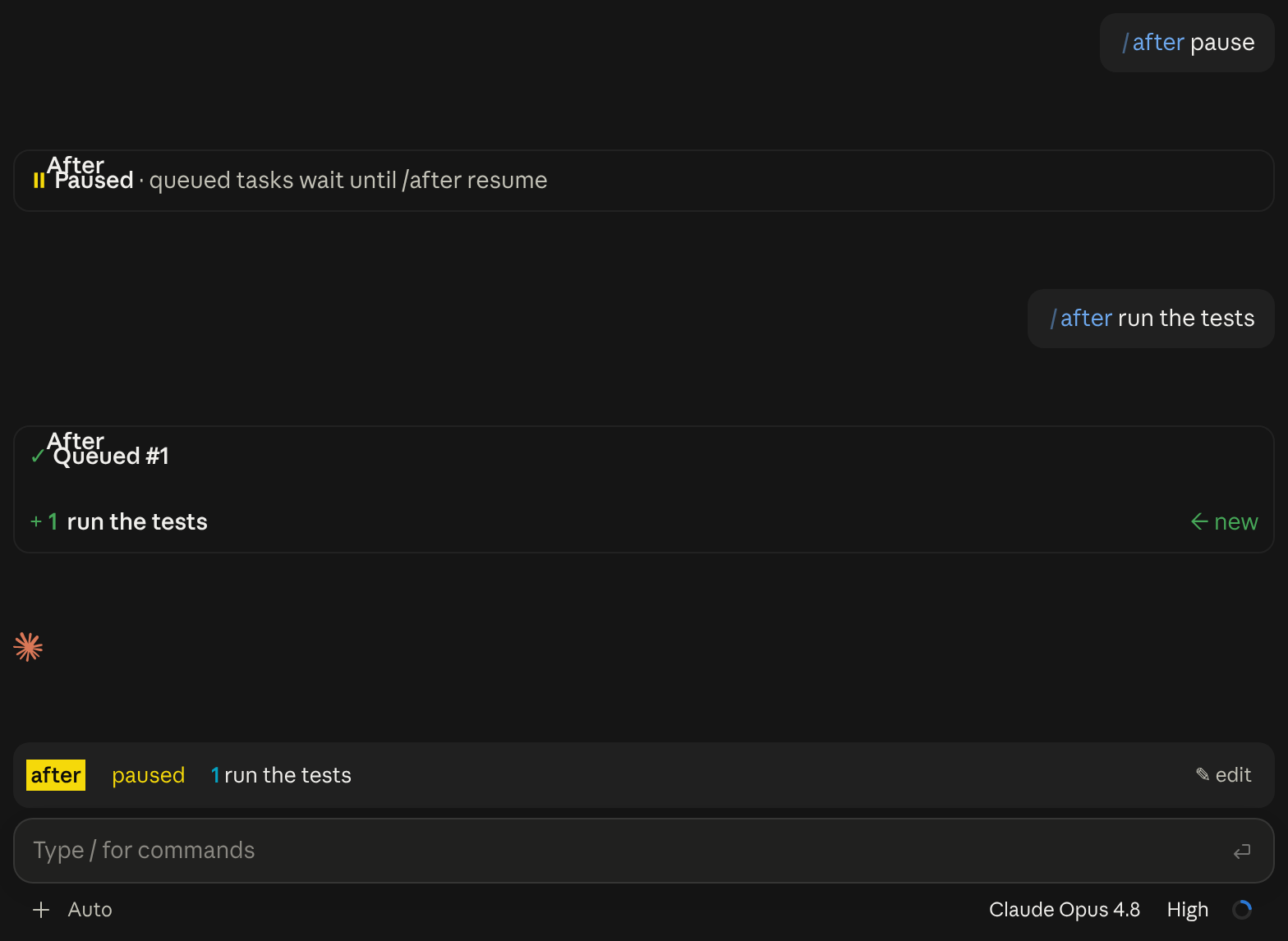
After in Claude Desktop

What it does

A task queue for Claude Code: /after <task> runs a task once the current one is done, without steering it. A band above the prompt shows what runs now and next.

What you see
A queue band above the prompt, cards and an edit pane
Works in
Terminal and Claude Desktop
Slash commands
/after, /before
Uses your tokens
Haiku resolves /after text that may refer to queued tasks
Changes files
Nothing
Network access
None
Reviewed commit
c2ee6a4
Preview recorded with
Claude Code 2.1.296

How it works

  1. /after and /before run at once, even mid-turn, and answer with a card of what changed.
  2. Keeps queued task text out of what the model sees until that task's turn.
  3. When a turn ends normally, submits the next queued task as your own message.
  4. Shows the queue in a band above the prompt; bare /after opens it for keyboard edits.

Good to know

  • Needs Claude Code 2.1.289 or newer.
  • smart (on by default) sends the command and queued task texts to Haiku to resolve references.
  • Esc stops the running task, not the queue. /after pause holds the queue until /after resume.